What a p-value really measures, how to compute one, and the four mistakes that trip up even experienced analysts.
Author
MLStation
Published
September 27, 2026
A p-value is one of the most used and most misunderstood numbers in data work. This article builds it from scratch, computes it three ways, and shows exactly what it does and does not tell you.
TipWhat you will learn
The precise definition of a p-value
How to compute one for a two-sample test
How to avoid the most common misinterpretations
Intuition
Imagine you flip a coin 100 times and get 62 heads. Is the coin biased? A p-value answers a narrower question: if the coin were fair, how surprising would a result at least this extreme be?
The definition
Given a null hypothesis H_0 and a test statistic T, the p-value for an observed value t_{\text{obs}} is
p = \Pr\big(\,|T| \ge |t_{\text{obs}}| \;\big|\; H_0 \,\big)
\tag{1}
A small p from Equation 1 means the data would be unusual ifH_0 were true.
For a two-sample comparison of means, Welch’s statistic is
t = \frac{\bar{x}_1 - \bar{x}_2}{\sqrt{\dfrac{s_1^2}{n_1} + \dfrac{s_2^2}{n_2}}}
\tag{2}
Definition 1 (Significance level) The threshold \alpha (often 0.05) chosen before looking at the data. We reject H_0 when p < \alpha.
Seeing it
Show the code
import numpy as npimport matplotlib.pyplot as pltfrom scipy import statst_obs, df =2.1, 58x = np.linspace(-4.5, 4.5, 600)y = stats.t.pdf(x, df)p =2* stats.t.sf(abs(t_obs), df)fig, ax = plt.subplots(figsize=(7, 3.2))ax.plot(x, y, color="#4F46E5", lw=2)for side in (x >= t_obs, x <=-t_obs): ax.fill_between(x, y, where=side, color="#4F46E5", alpha=.22)ax.axvline(t_obs, color="#4F46E5", ls="--", lw=1)ax.text(t_obs +.15, .3, f"t = {t_obs}\np = {p:.3f}", color="#161B26", fontsize=10)ax.set_yticks([]); ax.set_xlabel("t statistic under $H_0$")ax.spines[["top", "right", "left"]].set_visible(False)plt.tight_layout(); plt.show()
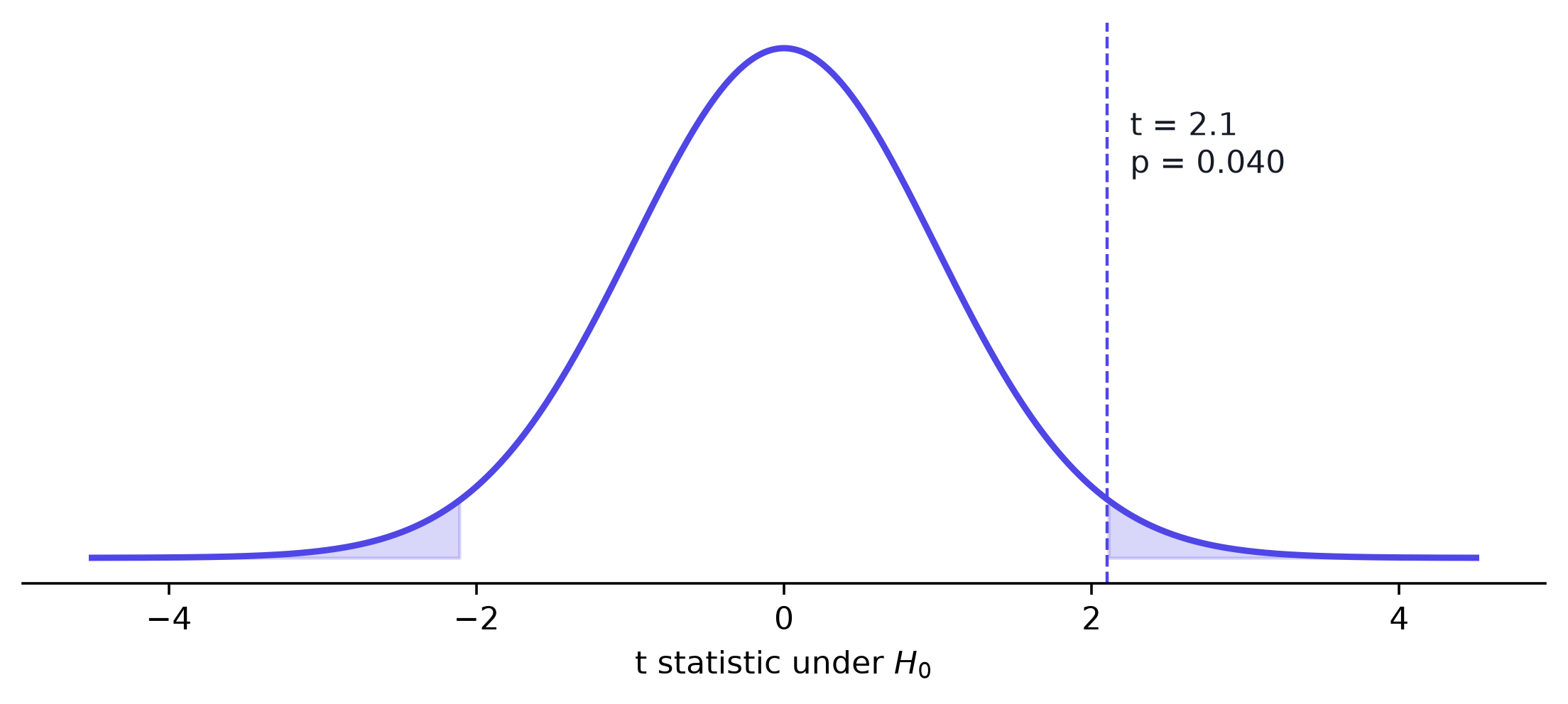
Figure 1: Under the null, the t statistic follows a t distribution. The shaded tails are the p-value.
The shaded area in Figure 1 is the probability of a result at least as extreme as ours, assuming no real difference.
-- Welch t statistic from summary stats (p-value then from a t table or Python)SELECT (AVG(CASEWHEN grp ='treatment'THENvalueEND) -AVG(CASEWHEN grp ='control'THENvalueEND)) /SQRT(VAR_SAMP(CASEWHEN grp ='treatment'THENvalueEND) /COUNT(CASEWHEN grp ='treatment'THEN1END) +VAR_SAMP(CASEWHEN grp ='control'THENvalueEND) /COUNT(CASEWHEN grp ='control'THEN1END)) AS t_statFROM experiment;
Four common mistakes
Table 1: Misreadings to avoid
Mistake
Why it is wrong
“p is the probability H_0 is true”
p assumes H_0 is true; it cannot also measure it
“p > 0.05 proves no effect”
Absence of evidence is not evidence of absence
“Smaller p means a bigger effect”
p mixes effect size and sample size
Testing many metrics, reporting the best
Inflates false positives; correct for multiple tests
WarningAlways report the effect size
Pair every p-value with an estimate and a confidence interval. A tiny, useless difference can be “significant” with enough data.
ImportantDeep dive: p-values are uniform under the null
If H_0 is true and the test is exact, p \sim \text{Uniform}(0, 1). That is why \Pr(p < 0.05 \mid H_0) = 0.05 is exactly the false-positive rate.
The workflow
flowchart LR
  A[Choose H0 and alpha] --> B[Collect data] --> C[Compute statistic] --> D[p-value] --> E[Decide and report effect size]
Summary
A p-value is \Pr(\text{data this extreme} \mid H_0), nothing more.
Choose \alpha before you look, and always report the effect size.
Next: read about confidence intervals in Statistical Inference.
For a rigorous treatment, see Casella and Berger (2002).1